
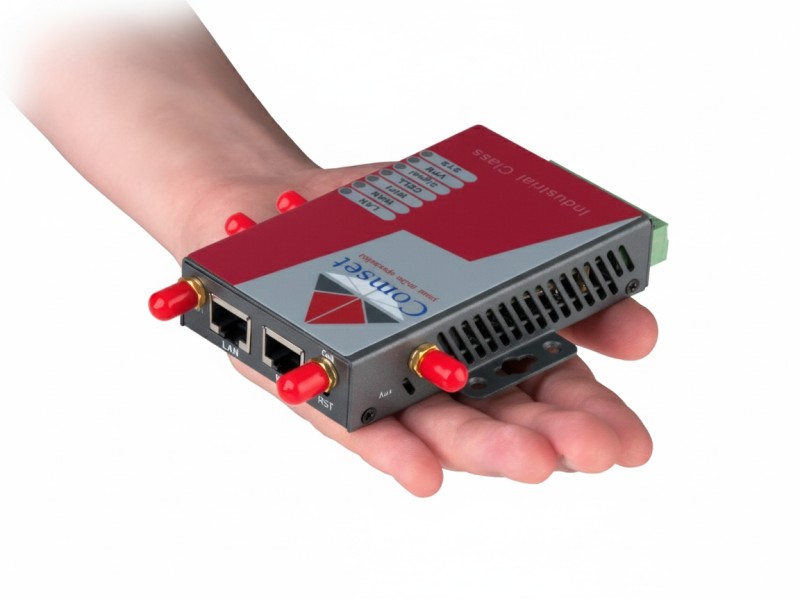
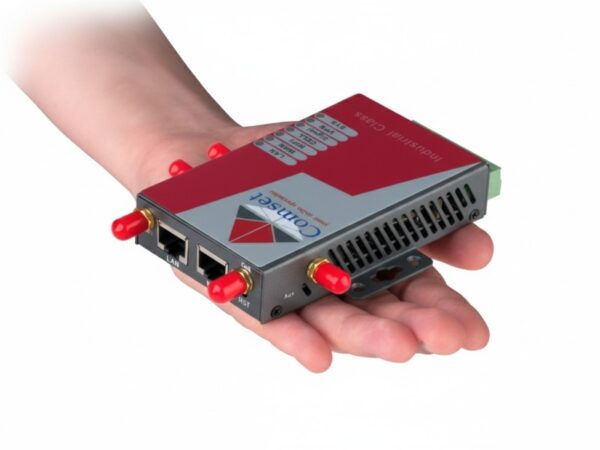

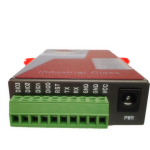
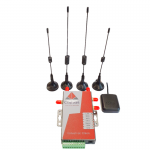
- 3G + 4G + 4GX Modem Router (LTE CAT-4)
- OpenWrt Fully Featured Linux OS
- OpenVPN Server and Client
- Band B28 700 MHz (Telstra 4GX and Optus 4G Plus)
- LTE Advanced CAT4 with 150Mbps Download Speeds
- Built-in GPS
- Automatic failover between ADSL/NBN and 4G LTE
- Supports Modbus TCP and Modbus RTU/ASCII networks
- Secure Remote Access and Control – No Public IPs Needed (Check out the Network Management System NMS)
LTE CAT-4 WiFi Router with GPS (CM685V-4-G)
Description
An Innovative GPS Router by Comset Australia
At Comset, we offer a wide range of innovative and fully featured 4G routers designed for even the most remote and harsh Australian environments, such as the 4G LTE WiFi Router with GPS (CM685V-4-G).
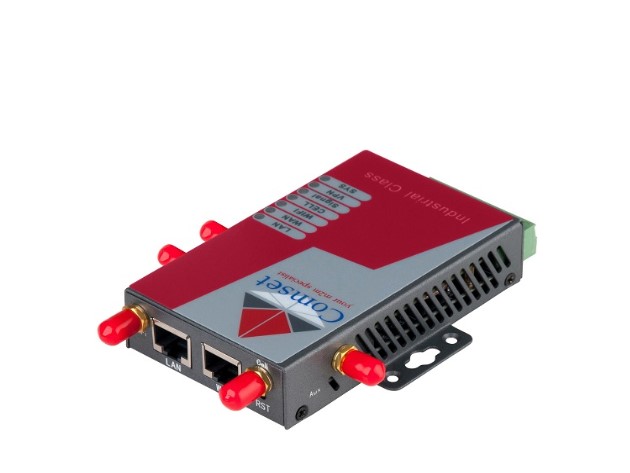
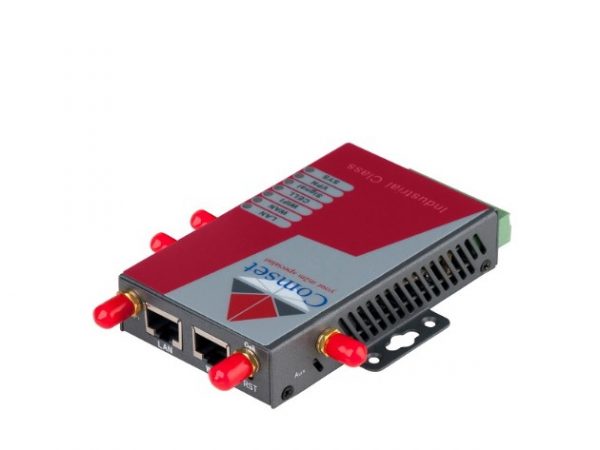
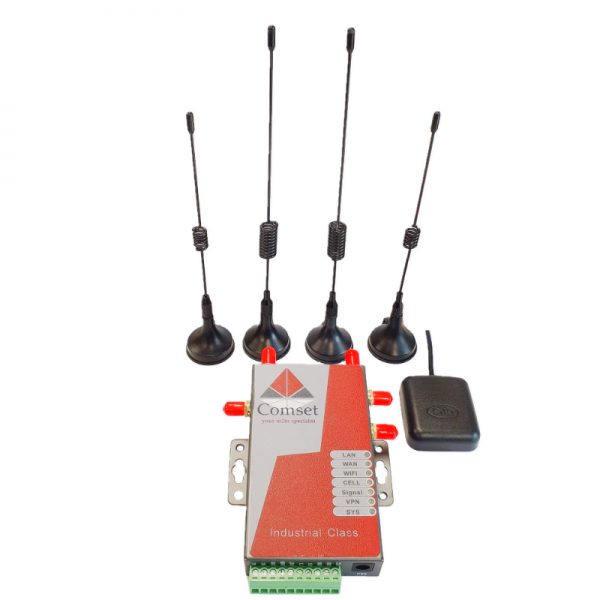
The Comset CM685V-4-G is a CAT-4 industrial grade 3G/4G/4GX LTE WiFi Modem Router built on the OpenWrt Linux operating system. With download speeds of up to 150 Mbps and upload speeds of up to 50 Mbps, it is one of the few routers on the Australian market that support band B28 (700MHz).
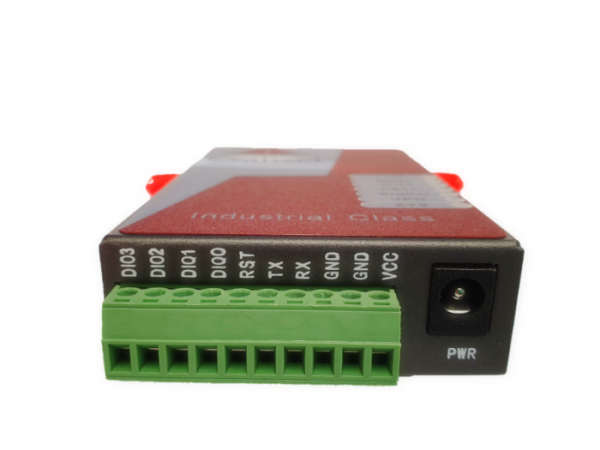
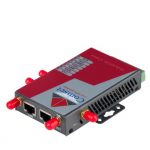
The Comset CM685V-4-G is designed to suit Australian conditions. It supports the latest LTE technology that performs fast and reliable data communication. It enables users to quickly create a secure and fast wireless network. It features a built-in WiFi N300 with speeds of up to 300 Mbps, one Ethernet WAN port for fixed internet connection and one Ethernet LAN port, as well as a GPIO with four digital output ports to control electrical devices via SMS such as turning on a pump or opening a gate. The four DIO ports can also be used as digital input ports that can send an email or an SMS when triggered for alarm notification. Other features include VPN IPSEC, PPTP, L2TP, ZeroTier and Open VPN to establish a secure connection over the 3G/4G network.
Click here to find your nearest 3G/4G/5G Cell Tower.
Click here to find Telstra’s 4G and 5G coverage in your area.
Click here to find Optus’ 4G and 5G coverage in your area.
Enquiring About the Comset WiFi Router with GPS
If you have any questions about our CM685V-4-G WiFi router with GPS, or about any other 3G, 4G and 4GX modem router, then contact our team today! You can contact us by calling (03) 9001 9720 or by simply filling in our online contact form.
>>| Basic Features
- Supports multi-band 4G, 4GX, DC-HSPA+, HSPA+, HSPA, UMTS, GSM, GPRS, EDGE
- SMA Standard antennas (5 magnetic base antennas included)
- Optimized EMC design
- Always on-line: On-line detection and automatic redial
- Wide range power input (5-40VDC)
- Smart power management
- Reliable, flexible, easy to use
- User friendly set-up wizard for easy configuration and setup
- Network traffic real-time graphs
- Network Diagnostic Tools (Ping, Traceroute and NSLookup)
- RS-232 interface transparent communication (DTU modem function)
- 1 Ethernet LAN RJ45 port & 1 Ethernet WAN RJ45 port
- WiFi 802.11b/g/n N300
>>| Enhanced Features
- Real-time clock
- VPN Server/Client (Open VPN, PPTP, L2TP, IPSec), and VPN pass-through
- Built-in DHCP server
- Supports DHCP Relay
- Supports NAT and DMZ host
- Supports DNS proxy and Dynamic DNS (DDNS)
- Supports Static routing table
- Supports packet filtering
- Built-in multi-routing backup (Ethernet and dialup network)
- System and network monitoring
- WAN interface traffic statistics
- Supports multiple protocol conversion
- Transparent data transmission (DTU feature)
- WEB/Telnet/console management interface
- Supports radio network data envelope counting
- Self-diagnostic and alarm output
- Local/remote profiles backup and retrieve
- Local/remote firmware upgrade via the web
- Remote web management
- Urgent event alarm via SMS
- Firewall, packet filtering
- Supports data centre communication
- Supports NTP
- Supports LED status indication
- Supports VLAN ID tagging
- Supports LCP, ICMP check
>>| Specifications
Wireless
• Compatible Mobile Networks
o 4G/ 4GX
o UMTS WCDMA (HSUPA/ HSDPA/ HSPA/ HSPA+/ DC-HSPA+)
o GSM EDGE
o GSM GPRS
• Cellular Frequency
o 4G LTE FDD Octo-band
B1 (2100)
B2 (1900)
B3 (1800)
B4 (1700)
B5 (850)
B7 (2600)
B8 (900)
B28 (700)
o 4G LTE TDD band B40 2300Mhz
o UMTS/ HSPA/ HSUPA/ HSPA/ HSPA+/ DC-HSPA+ 850/ 900/ 1900/ 2100Mhz
o Quad-band EGSM 850/ 900/ 1800/ 1900MHz
• Bandwidth
o 4G LTE FDD/ 4GX LTE-A
Downlink 150Mbps
Uplink 50Mbps
o 4G LTE TDD
Downlink 130Mbps
Uplink 35Mbps
o DC HSPA+
Downlink 21/42Mbps
Uplink 5.76Mbps
o HSPA
Downlink 14.4Mbps
Uplink 5.76Mbps
o HSUPA
Downlink 7.2Mbps
Uplink 5.76Mbps
o HSDPA
Downlink 7.2Mbps
Uplink 384 Kbps
o WCDMA/UMTS
Downlink 384 Kbps
Uplink 384 Kbps
o EDGE
Downlink 236 Kbps
Uplink 118 Kbps
o GPRS
Downlink 85.6 Kbps
Uplink 42.8 Kbps
WiFi
• 802.11b/g/n; 300Mbps
GPS
• supports Qualcomm® IZat™ location technology Gen8C Lite (GPS, GLONASS, BeiDou, Galileo and QZSS)
SMS
• SMS call to control router to be online, offline, reboot, status info, alarm, WiFi on, WiFi off
VLAN
• ID tagging Supported
• Fail Over Redundancy (network backup feature)
• Auto-dial feature, keep alive link
• Cellular (2G/3G/4G), RJ45 WAN (xDSL, DHCP, Fixed IP), WiFi client
DTU
• DTU feature, serial RS232 to Cellular Gateway
VPN
• OpenVPN, IPSec, L2TP, PPTP, ZeroTier
• Server and Client supported
Firmware upgrade
• Supported locally and remotely
Protocol support
• TCP, UDP, SMTP, POP, ICMP, FTP, PPP, PPPoE, DHCP, DDNS, DNS, SNMP, WPS, DMZ, Syslog (local and remote), NAT, xDSL, NTP, QoS, SNMP, Dynamic routing (OSPF, OSPF6, RIP, RIPng, BGP), support firmware update locally and remotely
Security
• Supports 64/128 bits WEP, 802.1x, WPA and WPA2
• Supports WDS
• TKIP, AES encryption
• Supports WPA1/2- 802.1x
• Supports EAP- TLS, TTLS, LEAP, PEAP
• Supports access with username and password
• Supports access control base WAN/LAN interface
• Supports access control base source IP address
• Defence DOS attack, supports SYN flooding, IP surfing, ping of death, fragile, teardrop, land
• Supports PAP and CHAP
• Supports IP filtering
Advanced Firewall Features
• Network Address Translation (NAT)
• Stateful Packet Inspection (SPI)
• VPN Pass-through
Media Access Control
• CSMA/CA with ACK
Certifications
• Radius Client
Interfaces
LAN
• 1 x 10/100M LAN port (RJ45 interface)
• 1 x 10/100M LAN/WAN port (RJ45 interface)
Antennas
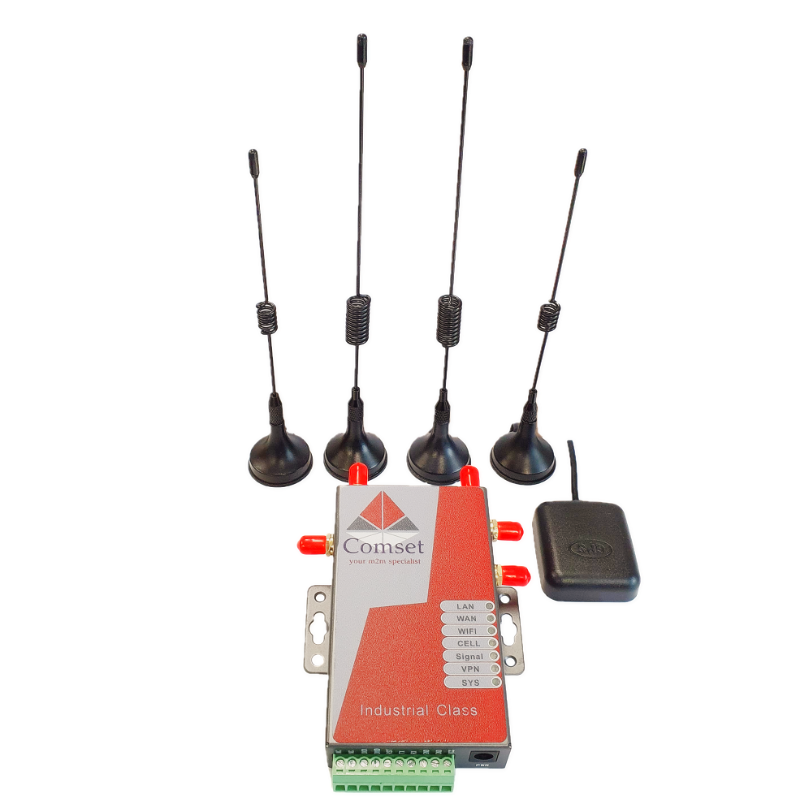
• 2 x antennas for WiFi (detachable SMA interface x 2)
• 2 x antennas for Cellular (detachable SMA interface x 2, cellular supports diversity receiving MIMO)
LED
• SYS*1
• VPN*1
• SIGNAL*1
• CELL*1
• WAN*1
• LAN*1
• WiFi*1
Serial port
• RS232 built-in terminal block interface
AT command
• Supported
UIM/SIM Card Slot
• Supports 1.8/3V UIM/SIM cards, one sim card slot
DC Jack
• Two types of power input
o 2.5mm DC jack * 1
o Terminal block * 1
Power
Power supply
• DC5V-40V, typical DC9V1A or 12V 1A, 12V car use supported
Power consumption
• Current
o Idle 122mA@12VDC
o Max 208mA@12VDC
o Average 167mA@12VDC
• Power
o Idle 1.2W@12VDC
o Max 2.5W@12VDC
o Average 2W@12VDC
Software
Device Management
• WEB interface (Internet Explorer v6 or later, Mozilla Firefox v1.5 or later, Chrome, Opera, Safari or other Java-enabled browsers)
Minimum System Requirements
• Mobile Internet Access Subscription and Internet PC Adapter
• Computer with:
o Windows 7, 8, 10, Vista, Windows XP SP2, Windows 2000 SP4 or Mac OS X(v10.4/v10.3), Linux
o Internet Explorer 6 or Mozilla Firefox
o CD-ROM Drive
o Network Interface Card
Physical
Operating Temperature
• Working -40°C to 75°C
Humidity
• 95% Maximum (non-condensing)
Dimensions
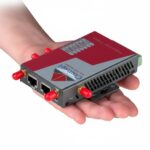
With case 100mm x 60mm x 21mm
Weight
• 220g (not including antennas)
• 330g (including antennas)
• 650g (including all accessories)
Other
Warranty
• 1 Year
Regulatory Compliance
• RCM, CE, RoHS
Package Contents
• CM685 Router
• CAT5 Ethernet Cable
• Serial Cable
• Power Adapter
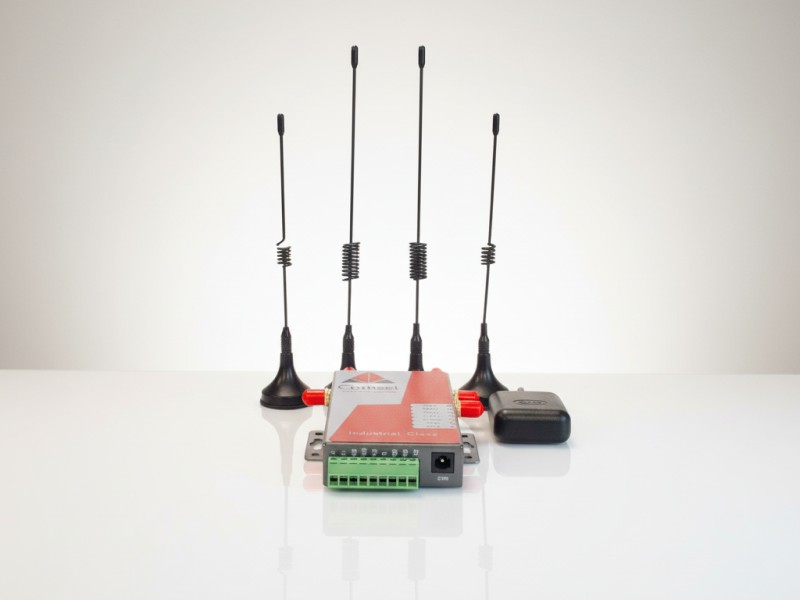
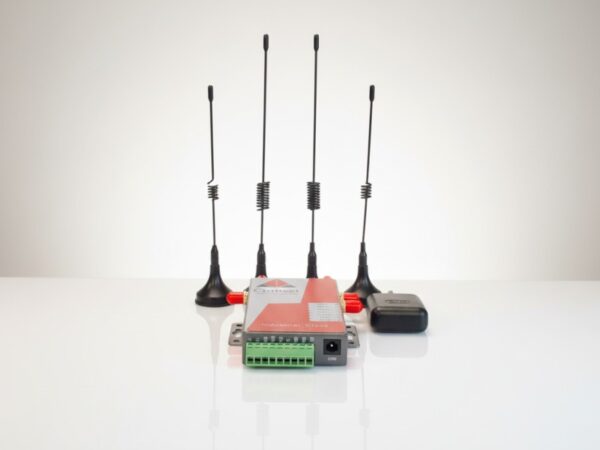
• 5 x Antennas (2xCell, 2xWiFi, 1xGPS)
- CM685V-4-G User Guide
- How to configure IP Pass-through on the Comset CM685V_CM820V_CM685VX
- Configuring DIO SMS and Email Notification on a CM685V
- How to configure VPN PPTP on the Comset CM685V, CM820V, CM685VX and CM950W
- How to remote access the CM685V router via http from several pre-defined IP addresses
- How to configure Port Forwarding on the Comset CM685V and CM820V router
- How to configure SMS on the Comset CM685V Router
- How to configure Web Filtering on the Comset CM685V and CM820V routers
- How to configure L2TP over IPSec on the Comset CM685V Router
- How to configure VPN IPSec on the Comset CM685V, CM820V, CM685VX and CM950W
- CM685V-4-G Datasheet
- How to setup ZeroTier VPN on the Comset CM685V, CM820Q and CM950W Routers
1. How to insert your SIM card in the Comset CM685 or CM820 3G/4G Router
2. How to configure VPN IPSEC on a Comset CM685V-W or CM820V-W 3G/4G/4GX router using DynDNS
3. How to configure Port Forwarding using DynDNS on a Comset CM685V-W or CM820V-W 3G/4G/4GX Router
4. How to configure Backup Redundancy on a Comset CM685V-W or CM820V-W 3G/4G/4GX Router
5. How to configure the SMS Command on a Comset CM685V-W or CM820V-W 3G/4G/4GX Router
6. How to configure IP Pass-through on the Comset CM685V and CM820V 3G/4G/4GX Router
7. How to configure ZeroTier on the Comset CM685V, CM820Q and CM950W Routers.